Update pages to reflect old wiki
This commit is contained in:

13 files changed
+65
-53
No files matched your search
+13
-5
@@ -16,11 +16,11 @@ And if you still have questions, feel free to join the [Discord](https://discord
|
||||
|
||||
## Prerequisites
|
||||
|
||||
- The server you are connecting to has to support the latest version of Minecraft Java Edition (at this time this is Minecraft 1.18.0)
|
||||
The server itself does not have to be the latest version but does have to allow connections. If you're running the server on an older version, you can use the plugin [ViaVersion](https://www.spigotmc.org/resources/19254/), but do note that only **1.12.2 and any version above is officially supported**.
|
||||
- The server you are connecting to has to support the latest version of Minecraft Java Edition (at this time this is Minecraft 1.18.1)
|
||||
The server itself does not have to be the latest version but does have to allow connections. If you're running the server on an older version, you can use the plugin [ViaVersion](https://www.spigotmc.org/resources/19254/), but do note that only **1.12.2 and any version above is officially supported**.
|
||||
- The device running Geyser must support Java 16 or later. If you need help installing or updating, please see https://paper.readthedocs.io/en/latest/java-update/index.html. If you're running a version of Paper that does not support Java 16 or later, you can add the flag `-DPaper.ignoreJavaVersion=true` to your startup Java arguments to allow Paper to run on Java 16. You can run Geyser standalone on another device if a server software cannot be updated to use Java 16.
|
||||
- If you are connecting to an online mode Java server, a paid Java account is required. If you are running the server, you can bypass this requirement for your server with [Floodgate](https://github.com/GeyserMC/Floodgate/wiki).
|
||||
- Your Bedrock client has to be a supported version - at this time that is Bedrock version 1.17.30 - 1.18.0.
|
||||
- Your Bedrock client has to be a supported version - at this time that is Bedrock version 1.17.30 - 1.18.2.
|
||||
- If you are running the server, you need to have a UDP port opened. See below for more instructions.
|
||||
|
||||
## Plugin Setup
|
||||
@@ -40,7 +40,7 @@ You can install Floodgate (but not Geyser) on the back-end servers to improve sk
|
||||
The Bedrock clients, like Java clients, should connect to the proxy server, and should never directly connect to a back-end server. You don't need to (and shouldn't) port-forward anything for the back-end servers!
|
||||
|
||||
## Standalone Setup
|
||||
Please keep in mind, you need some sort of computer or host to run Geyser Standalone on. Applications such as Termux on Android are capable of running Geyser, but this largely depends on how powerful your Android device is. Please do so at your own risk. Instructions to run Geyser on Termux can be found [here](GeyserSetup#termux-android).
|
||||
Please keep in mind, you need some sort of computer or host to run Geyser Standalone on. Applications such as Termux on Android are capable of running Geyser, but this largely depends on how powerful your Android device is. Please do so at your own risk. Instructions to run Geyser on Termux can be found [here](Setup#termux-android).
|
||||
|
||||
1. Download a jar of Geyser from the [build server](https://ci.opencollab.dev/job/Geyser/job/master/).
|
||||
2. Create a new folder for Geyser, and drop the jar in there.
|
||||
@@ -68,7 +68,7 @@ See the [Floodgate](https://github.com/GeyserMC/Floodgate/wiki/) wiki page for m
|
||||
Unlike Minecraft Java Edition, Bedrock Edition runs on port 19132 on the UDP protocol. When port forwarding, make sure to allocate to 19132 UDP or another UDP port. For many server hosting providers, you will simply need to change your Bedrock listening port (see [here](https://github.com/GeyserMC/Geyser/wiki/Supported-Hosting-Providers) for a list of supported providers).
|
||||
|
||||
## Termux (Android)
|
||||
Please read the disclaimer [here](GeyserSetup#standalone-setup) before continuing.
|
||||
Please read the disclaimer [here](Setup#standalone-setup) before continuing.
|
||||
1. Download and install [Termux](https://termux.com/)
|
||||
2. Run `pkg install openjdk-17`
|
||||
3. Run `wget https://ci.opencollab.dev/job/GeyserMC/job/Geyser/job/master/lastSuccessfulBuild/artifact/bootstrap/standalone/target/Geyser.jar`
|
||||
@@ -121,3 +121,11 @@ Setup tutorials in a variety of languages.
|
||||
**ЗАШЕЛ НА ХАЙПИКСЕЛЬ С МКПЕ? ЧИТЕРСКИЙ КОНФИГ!** by [TOWUK](https://www.youtube.com/channel/UCK8v-rGsfCOkpbi0slIpAng)
|
||||
|
||||
[](https://www.youtube.com/watch?v=KcZZp05EfVQ)
|
||||
|
||||
**ПОДНИМАЕМ СЕРВЕР JAVA+BEDROCK MINECRAFT** by [UncleZak](https://www.youtube.com/watch?v=nrFQ6BlOsLc)
|
||||
|
||||
[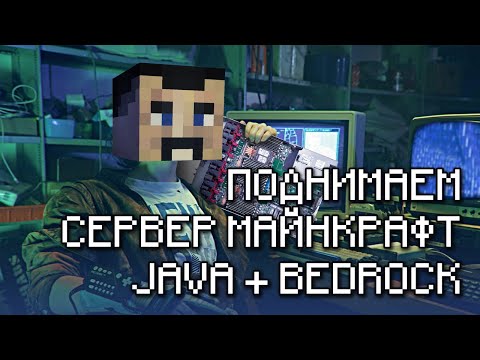](https://www.youtube.com/watch?v=nrFQ6BlOsLc)
|
||||
|
||||
**Кроссплатформенный сервер Minecraft | GeyserMC Installation** by [Plutonium](https://www.youtube.com/channel/UCxXjEZgHcjMIYoHoDKOCBOw)
|
||||
|
||||
[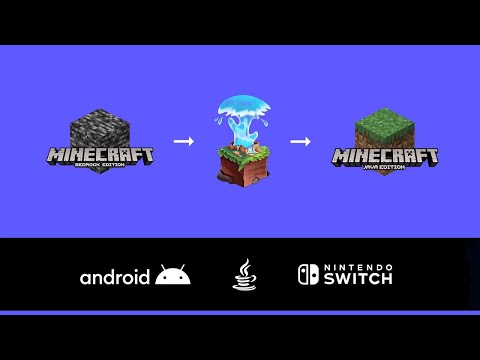](https://www.youtube.com/watch?v=nOwowRFZE9M)
|
||||
Reference in new issue
Block a user