Clean-up and restructure
Also added PR check
This commit is contained in:

57 files changed
+1715
-278
No files matched your search
@@ -0,0 +1,33 @@
|
||||
---
|
||||
layout: page
|
||||
title: Anticheat Compatibility
|
||||
permalink: /geyser/anticheat-compatibility/
|
||||
---
|
||||
|
||||
Do note that this is a community-compiled list and is incomplete! If you wish to update or add to this list, feel free.
|
||||
|
||||
### AntiCheat compatibility reports
|
||||
|
||||
Full Compatibility (Checks Bedrock Players Accurately)
|
||||
|
||||
- [AntiAura](https://www.spigotmc.org/resources/antiaura-premium-anti-cheat-plugin.1368/) - Last Updated on 8/19/21
|
||||
- [NESS Reloaded](https://www.spigotmc.org/resources/ness-anti-cheat-reloaded.75887/) - Last Updated on 8/19/21
|
||||
- [Themis](https://www.spigotmc.org/resources/themis-anti-cheat-1-16-x-bedrock-support-paper-tuinity-compatibility-free-optimized.90766/) - Last Updated on 8/19/21
|
||||
- [LightAntiCheat](https://www.spigotmc.org/resources/lightanticheat.96341/) - Last Updated on 12/4/21
|
||||
|
||||
Partially Compatible (Does not Check/Ignores Bedrock Players)
|
||||
|
||||
- [AAC](https://www.spigotmc.org/resources/aac-advanced-anti-cheat-hack-kill-aura-blocker.6442/) - Last Updated on 8/19/21
|
||||
- [Flappy Anticheat](https://www.spigotmc.org/resources/flappy-anticheat-1-16-1-17.92180/) - Last Updated on 9/14/21
|
||||
- [Matrix](https://matrix.rip/) - Last updated on 9/2/21
|
||||
- [Spartan](https://www.spigotmc.org/resources/spartan-anti-cheat-advanced-cheat-detection-hack-blocker-1-7-2-1-16-5.25638/) (Spartan Syn offers full Bedrock checks for an additional $43) - Last Updated on 8/19/21
|
||||
- [Vulcan](https://www.spigotmc.org/resources/vulcan-advanced-cheat-detection-1-7-1-16-5.83626/) - Last Updated on 8/19/21
|
||||
|
||||
Incompatible (False Positives on Bedrock Players, no Compatibility at All)
|
||||
|
||||
- [AntiCheatReloaded](https://www.spigotmc.org/resources/anticheatreloaded.23799/) - Last Updated on 8/19/21
|
||||
- [Negativity](https://www.spigotmc.org/resources/negativity-v2-1-7-to-1-17-bungee-velocity-sponge.86874/) - Last Updated on 8/19/21
|
||||
- [NoCheatPlus](https://ci.codemc.io/job/Updated-NoCheatPlus/job/Updated-NoCheatPlus/) ([Compat NCP](https://github.com/Updated-NoCheatPlus/CompatNoCheatPlus/) is an addon that enables Partial Compatibility) - Last Updated on 8/19/21
|
||||
- [Reflex](https://www.spigotmc.org/resources/「reflex」machine-learning-cheat-detection-»-1-8-1-17.21122/) - Last Updated on 8/19/21
|
||||
- [SoaromaSAC](https://www.spigotmc.org/resources/soaromasac-lightweight-cheat-detection-system.87702/) - Last Updated on 8/19/21
|
||||
- [Wraith](https://www.spigotmc.org/resources/✅-wraith-anticheat-⛔%EF%B8%8F-haunts-every-cheater.66887/) - Last Updated on 8/19/21
|
||||
@@ -0,0 +1,22 @@
|
||||
---
|
||||
layout: page
|
||||
title: Commands
|
||||
permalink: /geyser/commands/
|
||||
---
|
||||
|
||||
# Commands and Permissions
|
||||
|
||||
| Command | Permission | Description |
|
||||
|:---:|:---:|:---:|
|
||||
| `geyser help` <br> `geyser ?` | `geyser.command.help` | Shows help for all registered commands. |
|
||||
| `geyser advancements` | `geyser.command.advancements` | Open the Java advancements menu. |
|
||||
| `geyser dump` | `geyser.command.dump` | Dumps Geyser debug information for bug reports. |
|
||||
| `geyser list` | `geyser.command.list` | List all players connected through Geyser. |
|
||||
| `geyser offhand` | `geyser.command.offhand` | Puts an item in your offhand. |
|
||||
| `geyser reload` | `geyser.command.reload` | Reloads the Geyser configurations. Kicks all players when used! |
|
||||
| `geyser settings` | `geyser.command.settings` | Opens a settings menu allowing you to modify aspects of the world. |
|
||||
| `geyser shutdown` <br> `geyser stop` | `geyser.command.shutdown` | Shuts down Geyser.<br>*This command only works on Standalone.* |
|
||||
| `geyser statistics` | `geyser.command.statistics` | Open the Java statistics menu. |
|
||||
| `geyser version` | `geyser.command.version` | Shows the current Geyser version and checks for updates. |
|
||||
|
||||
For Floodgate com
|
||||
@@ -0,0 +1,118 @@
|
||||
---
|
||||
layout: page
|
||||
title: Common Issues
|
||||
permalink: /geyser/common-issues/
|
||||
---
|
||||
|
||||
Commonly, people may have issues with Geyser not showing up in their server list or run into similar issues. This page contains a few common issues people may encounter that you might have as well as potential fixes for them. If you still can't make it work, join [our Discord](https://discord.geysermc.org) for support.
|
||||
|
||||
# Floodgate
|
||||
For Floodgate issues see: [Floodgate: Known Issues/Caveats](https://github.com/GeyserMC/Floodgate/wiki/Issues).
|
||||
|
||||
# I can't connect! (Either the server doesn't show up in the friends list or I get "Unable to connect to world")
|
||||
* If you don't use a reverse proxy such as TCPShield make sure that `enable-proxy-protocol` is set to false.
|
||||
|
||||
## If the server doesn't show up in the friends list
|
||||
|
||||
* *If using Windows 10, iOS, or Android*: try adding the server to the Servers list in-game.
|
||||
* *If using Xbox One*: try connecting with [BedrockConnect](https://github.com/GeyserMC/Geyser/wiki/Using-Geyser-with-Consoles).
|
||||
* *If using PS4*: [try using a LAN proxy.](https://github.com/GeyserMC/Geyser/wiki/Using-Geyser-with-Consoles#playstation-4)
|
||||
* *If using Nintendo Switch*: there is currently no way for local servers to show up in the Friends tab, but you can still connect using [BedrockConnect](https://github.com/GeyserMC/Geyser/wiki/Using-Geyser-with-Consoles).
|
||||
|
||||
*If the Geyser instance is locally hosted:* try using `localhost` or `0.0.0.0` as the IP address.
|
||||
*If that doesn't work, or your Geyser instance is on another computer in the network*: use your **local** IPv4 address.
|
||||
|
||||
## See [here](https://github.com/GeyserMC/Geyser/wiki/Fixing-%27Unable-to-Connect-to-World%27) for fixing "Unable to Connect to World" with no console errors
|
||||
|
||||
### `java.net.BindException: Address already in use: bind` on startup.
|
||||
This means something (likely another instance of Geyser) is running on the port you have specified in the config. Please make sure you close all applications running on this port. If you don't recall opening anything, usually restarting your computer fixes this.
|
||||
|
||||
### [...]` has been compiled by a more recent version of the Java Runtime (class file version 60.0)`
|
||||
|
||||
See this link for updating to Java 16: https://paper.readthedocs.io/en/latest/java-update/index.html.
|
||||
|
||||
### Hosting provider will not immediately open up UDP.
|
||||
|
||||
These steps only apply for the standalone version of Geyser.
|
||||
|
||||
This usually has something to do on your host's end. Most commonly, it's because they do not open up ports over the UDP protocol, which is what Minecraft: Bedrock Edition uses, opposed to Minecraft: Java Edition using TCP. One way to get around this (if you're using an online host) is to shut down your server, and when asking for a server jar, select Nukkit (you won't actually be switching to Nukkit). Afterward, open up your FTP file manager and find the Nukkit jar. Then, replace this jar with the server software you're using. Upon starting up the server, it should open up ports over UDP whilst still allowing you to use the server jar you desire.
|
||||
|
||||
**PLEASE NOTE:** If your server automatically redownloads jars upon startup, such as with an autoupdate system, this workaround will not work. Please contact your host if this does not work for you as there is nothing we can do.
|
||||
|
||||
# Stuck on "Locating Server" with no errors
|
||||
|
||||
You may need to update your Java version. If so, update at [AdoptOpenJDK.net](https://adoptopenjdk.net/).
|
||||
|
||||
Sometimes this happens in poor-network environments. There is an `mtu` option in the Geyser config; lower this number slowly (in batches of 100), restart each time, and re-test joining.
|
||||
|
||||
This option will most likely not help if you are getting "Unable to Connect to World" with no console logs indicating a connection.
|
||||
|
||||
# Login Failed
|
||||
|
||||
***If you are using a plugin version:*** in your Geyser config, set your remote address to `127.0.0.1`. If that does not work, check your startup log for a message about Docker, and use that address in the remote address
|
||||
|
||||
### Cannot reply to EncryptionRequestPacket without profile and access token
|
||||
|
||||
There are two causes of this message:
|
||||
|
||||
*Floodgate issue*:
|
||||
|
||||
This message can occur with a Floodgate setup. Usually, it means that a misconfiguration occurred, or another plugin is conflicting. If you copied the Floodgate key from its folder to the Geyser folder on the same server, this is now unnecessary and you can safely remove the Geyser copy, restart, and try again.
|
||||
|
||||
*Server is in Online Mode while Geyser is in Offline Mode*:
|
||||
|
||||
If you have your configuration set up like this, put simply, it won't work. If authentication for the Java server is set to online, it is expected Geyser is configured the same way. The server requires a valid Minecraft: Java Edition account, and if you aren't logging into one with Geyser, then you will be unable to join the server. If your configuration is set up properly and you're still getting this issue, it could be that your credentials are invalid.
|
||||
|
||||
### Connection Refused: <INSERT IP AND/OR DOMAIN>
|
||||
|
||||
Connection Refused usually means that a Java server could not be found on that port, or the server denied access to the connection on a network level. The latter can happen with anti-DDOS plugins such as TCPShield, but otherwise ensure that the server you're trying to connect to is spelled correctly in the config, is up and is port forwarded correctly.
|
||||
|
||||
If you're updating from an old build of Geyser, set your remote address to `auto` and try again.
|
||||
|
||||
### Floodgate Misconfiguration
|
||||
See [this page](https://github.com/GeyserMC/Floodgate/wiki/Issues) for more information.
|
||||
|
||||
### Mojang Resetting Account Credentials
|
||||
This is unfortunately something we have no control over, and is most likely the case when you're running Geyser as a plugin on a server host or joining a friend far away from your location. If you're running Geyser locally, this should not happen to you, but what we recommend for servers is a plugin we make called [Floodgate](https://github.com/GeyserMC/Floodgate), which allows for Bedrock clients to join your server without needing a Java Edition account. Take a look [here](Floodgate) for more information.
|
||||
|
||||
# "Invalid IP address!" from Bedrock
|
||||
It's currently unknown why this happens even for valid domains. Try using the IPv4 address.
|
||||
|
||||
# Bedrock clients freeze when opening up commands for the first time
|
||||
Disable `command-suggestions` in your Geyser config. This will stop the freezing at the expense of removing command suggestions from Bedrock clients.
|
||||
|
||||
# BungeeCord freezes and crashes after bedrock player joins
|
||||
Make sure you have set `ip-forward` to `true` in your BungeeCord `config.yml` and set `bungeecord` to `true` in each connected server's `spigot.yml`.
|
||||
|
||||
# Failed to load locale asset cache: Unrecognized token 'Cannot'
|
||||
This or anything else related to failing to download a locale file on startup is usually caused by java trying to connect using IPv6 and Mojang only use IPv4, so start Geyser or the server up with this flag `-Djava.net.preferIPv4Stack=true`, EG: `java -Xms1024M -Djava.net.preferIPv4Stack=true -jar Geyser.jar`
|
||||
|
||||
# Outdated client! Please use 1.x.x
|
||||
|
||||
The server is too new or Geyser is outdated. Make sure you're on the latest Geyser.
|
||||
|
||||
# Outdated server! I'm still on 1.x.x
|
||||
|
||||
Update the server or ask them to install [ViaVersion](https://viaversion.com/). You can also try [VIAaaS](https://github.com/ViaVersion/VIAaaS) (ViaVersion as a Service).
|
||||
|
||||
# Query: Incorrect Magic!
|
||||
|
||||
See here: https://www.spigotmc.org/threads/query-incorrect-magic-and-high-cpu-usage.159386/#post-2709057
|
||||
|
||||
* If you don't use a reverse proxy such as TCPShield make sure that `enable-proxy-protocol` is set to false.
|
||||
|
||||
# Only for BungeeCord with floodgate
|
||||
|
||||
If you use floodgate ensure that it is installed on all of your Spigot backend servers as following:
|
||||
|
||||
1. `Bungee: Geyser and Floodgate`
|
||||
2. `Lobby: floodgate`
|
||||
3. `Server-1: floodgate`
|
||||
4. `Server-2: floodgate`
|
||||
And so on.
|
||||
|
||||
* Please also make sure that you have the same `key.pem` and `config.yml` on all of your servers.
|
||||
|
||||
If your players can't connect from the lobby to another backend server, check console.
|
||||
### Plugins that can cause issues
|
||||
* `HamsterAPI`
|
||||
@@ -0,0 +1,40 @@
|
||||
---
|
||||
layout: page
|
||||
title: Creating a Startup Script
|
||||
permalink: /geyser/creating-a-startup-script/
|
||||
---
|
||||
|
||||
**In order for this to work, you MUST have Java 8 installed!**
|
||||
|
||||
Once you have downloaded and placed Geyser into its own folder, you will need to create a startup script; similar to how you'd run a Bukkit server.
|
||||
|
||||
### Windows
|
||||
* Create a new text file in the same location as the Geyser jar file, and call it `run.bat`. Open this with a text editor (preferably Notepad++), and insert the text below:
|
||||
```batch
|
||||
@echo off
|
||||
java -Xms1024M -jar Geyser.jar
|
||||
pause
|
||||
```
|
||||
* Double-click the **run.bat**, and Geyser should start up. Geyser will generate all the needed files.
|
||||
|
||||
|
||||
### macOS
|
||||
* Create a text file called **run.command**, and open it with a text editor such as TextEdit or TextMate. Type the text below into the **run.command** file:
|
||||
```sh
|
||||
#!/bin/bash
|
||||
cd "$( dirname "$0" )"
|
||||
java -Xms1024M -jar Geyser.jar
|
||||
```
|
||||
* Open Terminal, and type in `chmod a+x` **(Do NOT press return!)**, and drag your *run.command* file into the Terminal.
|
||||
* Press return on your keyboard, and Geyser will start up. Geyser will generate all the needed files.
|
||||
|
||||
|
||||
### Linux
|
||||
* Create a file called *run.sh*, and open it with a text editor. Type the text below into your `run.sh` file:
|
||||
```sh
|
||||
#!/bin/sh
|
||||
cd "$( dirname "$0" )"
|
||||
java -Xms1024M -jar Geyser.jar
|
||||
```
|
||||
* In your default terminal application, make the file executable by running `chmod +x ~(dir)/run.sh` where `dir` is the name of the folder Geyser is in, or by changing the file permissions;
|
||||
* Open your default terminal application, and type `./run.sh` to run Geyser. Geyser will generate all the needed files.
|
||||
@@ -0,0 +1,35 @@
|
||||
---
|
||||
layout: page
|
||||
title: Current Limitations
|
||||
permalink: /geyser/current-limitations/
|
||||
---
|
||||
|
||||
With Geyser being a protocol translator between two different games with two different codebases, there are a handful of limitations that Geyser is unfortunately unable to handle. Despite Minecraft Bedrock and Java being quite close in comparison, there are some vast differences in many areas.
|
||||
|
||||
The following things cannot be fixed without changes to Bedrock or the Java protocol in general. As of now, they are not fixable in Geyser.
|
||||
|
||||
- Custom heads in inventories
|
||||
- Clickable links in chat
|
||||
- Glowing effect
|
||||
- Crafting in the 2x2 menu while in creative mode
|
||||
- Distinguishing between left and right clicks in inventories
|
||||
- Redstone dot blockstates
|
||||
- "Can be placed on/destroyed" tag for *some* blocks - for example, different colors of clay/wool that don't exist as separate blocks
|
||||
- Potion colors implemented using NBT
|
||||
- Various command arguments for any command that doesn't use the Minecraft Brigadier library
|
||||
- Anything that relies on tab complete or typing in the chat UI (related to the above) - Bedrock sends no packet that indicates they are in this menu
|
||||
- Unable to see banner layers past 6
|
||||
- Movement issues around bamboo due to offset differences between Java and Bedrock, but you can use this plugin for temp fix https://github.com/Camotoy/BambooCollisionFix/releases
|
||||
- Custom anvil recipes
|
||||
- Heights lower than -64 or higher than 320 in the overworld with extended height enabled, and heights lower than 0 or higher than 256 in other dimensions
|
||||
- Dolphin's Grace potion effect visuals (effects should still work correctly)
|
||||
- Invisible item frames
|
||||
|
||||
The following changes **are supported** with the [GeyserOptionalPack](https://github.com/GeyserMC/Geyser/wiki/GeyserOptionalPack), which is a Bedrock resource pack you can install for additional functionality for features Bedrock does not natively support:
|
||||
- Custom armor stand poses
|
||||
- Illusioners
|
||||
- Iron golem cracked texture
|
||||
- Hit particles and other miscellaneous particles not natively in Bedrock
|
||||
- Offhand animations
|
||||
- Shulker invisibility
|
||||
- Spectral arrow texture
|
||||
@@ -0,0 +1,202 @@
|
||||
---
|
||||
layout: page
|
||||
title: FAQ
|
||||
permalink: /geyser/faq/
|
||||
---
|
||||
|
||||
## How Does it Work?
|
||||
Geyser works as a translator, translating both the incoming and outgoing packets to a format both the client and server can understand. With this being said, it emulates a Minecraft: Java Edition client, so the server actually thinks you're joining from Java Edition. Regardless of the server or what plugins it has installed, you can join it with Geyser (as long as the server supports the latest vanilla (unmodified) Minecraft version).
|
||||
|
||||
## So, how does Redstone work?
|
||||
|
||||
Redstone, along with any other mechanics like commands, farms, etc., will work exactly like Java Edition since joining a Java Edition server and Geyser does not modify server behavior.
|
||||
|
||||
## Is Geyser paid?
|
||||
|
||||
No, Geyser and all related projects are completely free and open-source, licensed under the MIT license.
|
||||
|
||||
## What plugins don't work with Geyser?
|
||||
|
||||
Geyser should generally work fine with plugins, as we emulate a Java client. There are exceptions, though:
|
||||
|
||||
* [TCPShield](https://tcpshield.com/) requires `only-allow-proxy-connections` disabled without a paid plan. However, their "Premium" plan will allow the support of Geyser - please contact their support for help setting this up.
|
||||
|
||||
Floodgate can cause issues with plugins as it modifies the login process. *Please note that any offline mode authenticator plugins are only here for documentation; Geyser does not support offline mode usage.*
|
||||
|
||||
* [DynamicBungeeAuth](https://www.spigotmc.org/resources/dynamicbungeeauth-premium-command-semi-premium-system-sessions.27480/) produces invalid credentials for Bedrock players.
|
||||
* [FastLogin](https://www.spigotmc.org/resources/fastlogin.14153/) does not let floodgate add player prefix.
|
||||
* [ExploitFixer](https://www.spigotmc.org/resources/2ls-exploitfixer-the-ultimate-antiexploit-plugin.62842/) thinks that Floodgate users are UUID spoofing - disable the `uuidspoof` setting in ExploitFixer's config.
|
||||
* [JPremium](https://www.spigotmc.org/resources/27766/) alters the UUID of a player, causing Floodgate not to be able to get the Bedrock data from its map.
|
||||
* [LibHatesMods](https://www.spigotmc.org/resources/78202/) causes authentication to fail with `com.github.steveice10.mc.auth.exception.request.InvalidCredentialsException`
|
||||
* [ProtocolSupport](https://www.spigotmc.org/resources/7201/) ~~is currently incompatible with Floodgate.~~ Works with Floodgate, but we recommend using [ViaBackwards](https://www.spigotmc.org/resources/viabackwards.27448/) instead.
|
||||
* [ProtocolSupportBungee](https://www.spigotmc.org/resources/8733/) changes how the login process works and therefore breaks the Floodgate injection code.
|
||||
* [SayNoToMcLeaks](https://www.spigotmc.org/resources/40906/) prevents Floodgate from finishing its login system.
|
||||
|
||||
If you come across any more, please let us know via [Discord](http://discord.geysermc.org).
|
||||
|
||||
## Which plugin version of Geyser do I need?
|
||||
This is a non-complete list of what platform each plugin version of Geyser is for, and the standalone version can be used for any as it isn't a plugin.
|
||||
* Geyser-Spigot works with:
|
||||
* [Spigot](https://www.spigotmc.org/)
|
||||
* [Paper](https://papermc.io/downloads) (recommended)
|
||||
* Any other forks of the above
|
||||
* Geyser-Bungee works with:
|
||||
* [BungeeCord](https://www.spigotmc.org/wiki/bungeecord/)
|
||||
* [Waterfall](https://papermc.io/downloads#Waterfall)
|
||||
* Any other forks of the above
|
||||
* Geyser-Velocity works with [Velocity](https://www.velocitypowered.com/)
|
||||
* Geyser-Sponge works with [SpongeVanilla or SpongeForge](https://www.spongepowered.org/)
|
||||
|
||||
## What server versions does Geyser-Spigot support?
|
||||
The Geyser-Spigot plugin supports any Minecraft server version 1.12.2 or later. Any earlier version is not supported by the plugin - use a proxy version or the standalone build instead.
|
||||
|
||||
## If using BungeeCord or another fork, where do I need to put Geyser/Floodgate?
|
||||
You only need Geyser and/or Floodgate on the BungeeCord server, as long as not using the Floodgate API. In this case, Floodgate is needed on the "backend" servers as well.
|
||||
|
||||
## What IP do I need to give Bedrock players?
|
||||
|
||||
Generally, the IP that Bedrock players will join with is your Java IP and the defined port in your Geyser config in the `bedrock` section under `port`. For example, if the IP address Java players join with is `test.geysermc.org`, and the `bedrock` `port` is set as 19132, Bedrock players should join with the IP `test.geysermc.org` and port `19132`.
|
||||
|
||||
## How can I have Bedrock players load resource packs?
|
||||
|
||||
You can add Bedrock resource packs to your Geyser installation in the `packs` folder of wherever the Geyser config is located. Bedrock clients will automatically download and load those resource packs. There is currently no automatic Java-to-Bedrock resource pack conversion, but you can convert any Java resource pack https://rtm516.github.io/ConvertJavaTextureToBedrock/ and add that to your server.
|
||||
|
||||
## How can Bedrock players hold items in their offhand?
|
||||
|
||||
You can use the command `/geyser offhand`, which will swap the item in their main hand and offhand. There is also a setting you can enable in the config (`emote-offhand-workaround`) to allow Bedrock players to perform an emote in order to switch their main hand and offhand.
|
||||
|
||||
## How do I include players in commands when using Floodgate?
|
||||
If there is a prefix on Floodgate players, you must include the prefix in the name. Floodgate also replaces all spaces in names with underscores, so be sure to replace any spaces with underscores when executing the command. If this does not work, put double quotes around the name.
|
||||
|
||||
Example: `/tp ".<bedrock_username>"`
|
||||
|
||||
## How do I add players to the whitelist when using Floodgate?
|
||||
There are three ways you can do this. The first way is to use Floodgate's built-in whitelist command, `/fwhitelist add .<bedrock_username>`. The second way is to turn off the whitelist using `/whitelist off`, then get the Geyser player to join, then run `/whitelist add ".<bedrock_username>"`, then turn the whitelist back on using `/whitelist on`. (If using this method for a Bedrock account linked to an existing, whitelisted Java account, there is no need to _also_ whitelist the Bedrock account; you may link the accounts then immediately turn the whitelist back on.) The second way is to add the player's UUID as given by Floodgate to the whitelist.json file and then run `/whitelist reload`.
|
||||
|
||||
## How do I find a player's UUID without them joining when using Floodgate?
|
||||
Use [this page.](https://floodgate-uuid.heathmitchell1.repl.co/) If this doesn't work, then try this method:
|
||||
<br><br>
|
||||
First, you'll need to get the XUID of the player. There are several third-party websites to find this, for example, [this one](https://cxkes.me/xbox/xuid) (unaffiliated with Geyser). Make sure to choose "Hexidecimal." You'll need to enter the player's Xbox Gamertag, and, once submitted, it should display the XUID in the format of `xxxxxxxxxxxxxxxx`. To turn the XUID into a UUID that Java Edition can recognize, you need to put the XUID in this format: `00000000-0000-0000-xxxx-xxxxxxxxxxxx`. If formatted right, Java Edition should accept it as a UUID.
|
||||
|
||||
## Can I remove the prefix of Floodgate players?
|
||||
While you can remove the prefix, it is generally recommended not to remove the prefix to prevent situations where player usernames are the same on both editions (Ex: Bedrock Username: `JohnDoe`, Java Username: `JohnDoe`). While they have different UUIDs, they have the same username, which may cause conflicts with commands that involve a player name. If you want to remove the prefix to use commands, Try adding quotation marks around the name. Example: `/tp ".<bedrock_username>"` Otherwise, the prefix is located in the Floodgate `config.yml` under `username-prefix:`.
|
||||
|
||||
## Do I need Floodgate in order to use Geyser?
|
||||
No; Floodgate is only required if you wish to allow Bedrock clients to join without authenticating to Java servers. Without the Floodgate plugin, Geyser can either authenticate to Mojang in online mode, or join without authentication in an offline mode server (though this is unsupportable and dangerous as anyone can join your server and is against Mojang's EULA).
|
||||
|
||||
## Sometimes, when I go really far out, the world starts to experience very odd visual bugs...
|
||||
This is a Bedrock client issue caused by Bedrock being 32-bit and Java being 64-bit. For more information read [here](https://minecraft.gamepedia.com/Bedrock_Edition_distance_effects).
|
||||
|
||||
## Can I use Geyser to allow Java players to connect to my Bedrock server?
|
||||
No, this is a translation tool to allow Bedrock players to connect to Java servers. It does not work the opposite way.
|
||||
|
||||
## Can I use Geyser with Pterodactyl Panel?
|
||||
Yes, you can use Geyser as a plugin or a mod for your Minecraft server software running on Pterodactyl. There is also an official egg for the standalone version. It supports auto-updating and has all config options easily editable. You can find it [here](https://github.com/GeyserMC/pterodactyl-stuff), download the JSON egg, and import it into your panel.
|
||||
|
||||
## Can I use Geyser with Ngrok?
|
||||
Unfortunately, Ngrok is TCP-only, so you will not be able to use Geyser with Ngrok. As an alternative, you can use [playit.gg](https://playit.gg), which supports both TCP and UDP.
|
||||
|
||||
## Can I connect Geyser to an older server?
|
||||
If the server has ViaVersion and/or supports the latest Minecraft version, yes. However, we are unable to support older versions of Minecraft due to a limitation in our Java support library.
|
||||
|
||||
## Can I connect Geyser to a modded (Forge/Fabric) server?
|
||||
The short answer: if a vanilla client can join the server, then so can Geyser.
|
||||
|
||||
The long answer: currently, there is no way for Geyser to translate the features that most mods add (blocks, items, etc.). Therefore, servers that require mods to be installed clientside are unsupportable through Geyser.
|
||||
|
||||
## How can I auto-update Geyser?
|
||||
[Geyser MC Auto Updater](https://github.com/michaelwatne/geysermcupdater) is an option at this time to auto-update Geyser through the command line. Note that this project is unaffiliated with Geyser.
|
||||
|
||||
GeyserUpdater ([GitHub page](https://github.com/YHDiamond/GeyserUpdater)/[Spigot page](https://www.spigotmc.org/resources/geyserupdater.88555/)) is a Spigot/BungeeCord plugin option for auto-updating. Please note that this plugin is also unaffiliated and unsupported by Geyser, and users should redirect support for the plugin to its [Discord](https://discord.gg/U5MC2tcCz9).
|
||||
|
||||
## How can I make DiscordSRV show Floodgate 2.0 or GeyserSkinManager skins?
|
||||
Replace the `AvatarUrl` line in your DiscordSRV config with this: `AvatarUrl: https://mc-heads.net/avatar/{texture}/{size}.png`
|
||||
|
||||
Note: you need to be running DiscordSRV v1.22.0 or newer. Floodgate 2.0 or GeyserSkinRestorer is still required for skins to show up for Java players and for this to work.
|
||||
|
||||
Alternatively, if you cannot get the above AvatarUrl to work with DiscordSRV, or you'd like to use it with another plugin that does not support texture ids, you can use the [TydiumCraft Skin API.](https://tydiumcraft.net/docs/skinapi)
|
||||
|
||||
## Can I use Buycraft (Tebex) with Geyser?
|
||||
You sure can! Buycraft supports Java & Bedrock players via the Offline store mode **(Recommended to be used with Floodgate)**
|
||||
|
||||
**(Currently, Buycraft does not support special symbols like `*` or `-`, so you'll have to change the Floodgate prefix to `_` or remove it entirely.)**
|
||||
### Steps to create a store to support both versions
|
||||
- Buycraft-> Create Webstore
|
||||
- Select Game-> Minecraft Offline
|
||||
- Continue-> Click "Create my Webstore"
|
||||
- Name your server & Select currency-> Continue
|
||||
- Select Game Server-> Continue
|
||||
- Download the plugin version that best suits your server.
|
||||
- Execute the secret command from your server's console
|
||||
|
||||
Your store is now set up to support Bedrock & Java players.
|
||||
|
||||
**(Please note, if you are using a prefix with Floodgate, Bedrock players will have to enter the prefix.)**
|
||||
|
||||
## Can I use CraftingStore with Geyser?
|
||||
As mentioned above, bedrock players must include the prefix in their name.
|
||||
### Steps to make the store work for Geyser
|
||||
1. Go to the [admin page](https://craftingstore.net/admin)
|
||||
2. Expand settings on the left
|
||||
3. Click webshop
|
||||
4. Make sure 'Require premium accounts' is Off
|
||||
5. Then, if you are using floodgate in each package, make sure it uses the player's name in any commands, not their UUID
|
||||
|
||||

|
||||
|
||||
|
||||
## What languages does Geyser support?
|
||||
We aim to support any of the bedrock languages; see [here](https://translate.geysermc.org/) for our Crowdin page, and below is a list of all the language codes. We also can add support for more languages, and please request them in the Discord server if you are willing to translate them. (Enabled clientside via https://www.curseforge.com/minecraft/mc-addons/translations-for-minecraft)
|
||||
|
||||
### Bedrock languages
|
||||
|
||||
|Name |Code |
|
||||
|----------------------------|-----|
|
||||
|Bulgarian |bg_bg|
|
||||
|Czech |cs_cz|
|
||||
|Danish |da_dk|
|
||||
|German |de_de|
|
||||
|Greek |el_gr|
|
||||
|British English |en_gb|
|
||||
|American English |en_us|
|
||||
|Spanish |es_es|
|
||||
|Mexican Spanish |es_mx|
|
||||
|Finnish |fi_fi|
|
||||
|Canadian French |fr_ca|
|
||||
|French |fr_fr|
|
||||
|Hungarian |hu_hu|
|
||||
|Indonesian |id_id|
|
||||
|Italian |it_it|
|
||||
|Japanese |ja_jp|
|
||||
|Korean |ko_kr|
|
||||
|Dutch |nl_nl|
|
||||
|Norwegian Bokmål |nb_no|
|
||||
|Polish |pl_pl|
|
||||
|Brazilian Portuguese |pt_br|
|
||||
|Portuguese |pt_pt|
|
||||
|Russian |ru_ru|
|
||||
|Slovak |sk_sk|
|
||||
|Swedish |sv_se|
|
||||
|Turkish |tr_tr|
|
||||
|Ukrainian |uk_ua|
|
||||
|Chinese Simplified (China) |zh_cn|
|
||||
|Chinese Traditional (Taiwan)|zh_tw|
|
||||
|
||||
### Additional languages
|
||||
|
||||
|Name |Code |
|
||||
|----------------------------|-----|
|
||||
|Afrikaans |af_za|
|
||||
|Belarusian |be_by|
|
||||
|Hebrew |he_il|
|
||||
|Hindi |hi_in|
|
||||
|
||||
# Questions not related to gameplay
|
||||
|
||||
## What is the relationship between CubeCraft and Geyser?
|
||||
|
||||
Redned started Geyser in July 2019. In May 2020, CubeCraft acquired the GeyserMC brand. This means that they govern the project (though at this time, they govern lightly). CubeCraft does not own the code of Geyser.
|
||||
|
||||
## Does CubeCraft use Geyser?
|
||||
|
||||
No.
|
||||
@@ -0,0 +1,16 @@
|
||||
---
|
||||
layout: page
|
||||
title: Geyser
|
||||
permalink: /geyser/
|
||||
---
|
||||
|
||||
# Geyser
|
||||
[](LICENSE)
|
||||
[](https://ci.nukkitx.com/job/Geyser/job/master/)
|
||||
[](https://discord.geysermc.org)
|
||||
|
||||
_A bridge between Minecraft: Bedrock Edition and Minecraft: Java Edition._
|
||||
|
||||
**Currently, supporting Minecraft Bedrock 1.17.30 - 1.17.41 + 1.18 and Minecraft Java 1.18**
|
||||
|
||||
The goal of Geyser is to bridge the Minecraft: Bedrock Edition and Minecraft: Java Edition by allowing Bedrock clients to join Java Edition servers. This project is still in development and not complete yet, so expect bugs.
|
||||
@@ -0,0 +1,123 @@
|
||||
---
|
||||
layout: page
|
||||
title: Geyser Setup
|
||||
permalink: /geyser/setup/
|
||||
---
|
||||
|
||||
# Setup
|
||||
|
||||
Bedrock clients will join through Geyser and it will handle all the packet translations. There are six different versions of Geyser: Geyser for Spigot (works on derivatives such as Paper), Geyser for BungeeCord (also works on Waterfall), Geyser for Velocity, Geyser for Sponge, Geyser for Fabric (does not support client required mods, and more info about that can be found [here](https://github.com/GeyserMC/Geyser/wiki/Geyser-Fabric)) and Geyser Standalone. The first five versions run as plugins/mods and can be installed directly onto the server. The standalone version can be used in a similar way, except you run it separately.
|
||||
|
||||
If you are running a server, it is highly recommended you use one of the plugin versions, and if you want to join a server that does not have Geyser installed, you can run the standalone version. If you use Pterodactyl Panel we have an egg for the standalone version, please see [here](FAQ#can-i-use-geyser-with-pterodactyl-panel) for more information.
|
||||
|
||||
If you're still having problems with Geyser not working or giving you an "Unable to connect to world" error, see the [Common Issues](Common-Issues) page.\
|
||||
For more information, take a look at the [Understanding the Config](Understanding-the-Config) page, and the [FAQ](FAQ) page.\
|
||||
And if you still have questions, feel free to join the [Discord](https://discord.geysermc.org) if you haven't already.
|
||||
|
||||
## Prerequisites
|
||||
|
||||
- The server you are connecting to has to support the latest version of Minecraft Java Edition (at this time this is Minecraft 1.18.0)
|
||||
The server itself does not have to be the latest version but does have to allow connections. If you're running the server on an older version, you can use the plugin [ViaVersion](https://www.spigotmc.org/resources/viaversion.19254/), but do note that only **1.12.2 and any version above is officially supported**.
|
||||
- The device running Geyser must support Java 16 or later. If you need help installing or updating, please see https://paper.readthedocs.io/en/latest/java-update/index.html. If you're running a version of Paper that does not support Java 16 or later, you can add the flag `-DPaper.ignoreJavaVersion=true` to your startup Java arguments to allow Paper to run on Java 16. You can run Geyser standalone on another device if a server software cannot be updated to use Java 16.
|
||||
- If you are connecting to an online mode Java server, a paid Java account is required. If you are running the server, you can bypass this requirement for your server with [Floodgate](https://github.com/GeyserMC/Floodgate/wiki).
|
||||
- Your Bedrock client has to be a supported version - at this time that is Bedrock version 1.17.30 - 1.18.0.
|
||||
- If you are running the server, you need to have a UDP port opened. See below for more instructions.
|
||||
|
||||
## Plugin Setup
|
||||
1. Download a jar of Geyser from the [build server](https://ci.opencollab.dev/job/Geyser/job/master/) depending on what platform your server runs on. See the [FAQ](FAQ#which-plugin-version-of-geyser-do-i-need) if you're confused about which build to download.
|
||||
2. Put the Geyser jar file in your plugins folder and start up the server.
|
||||
3. If you are on a hosting provider, you will likely need to change your Bedrock port in `config.yml`. Information on your hosting provider might be available on the [Supported Hosting Providers](https://github.com/GeyserMC/Geyser/wiki/Supported-Hosting-Providers) page.
|
||||
4. Restart your server if you edited your config.
|
||||
5. If not using a hosting provider you will need to use port forwarding to allow people out of your LAN to connect. You want to port forward 19132 UDP, instructions to do that for most routers can be found [here](https://www.lifewire.com/how-to-port-forward-4163829).
|
||||
|
||||
If you are trying to join from the same LAN, the server should show up in the friends tab.
|
||||
|
||||
### BungeeCord/Velocity Setup
|
||||
If you are using a BungeeCord, Waterfall, or Velocity proxy, then you only need to install Geyser (and Floodgate, if you desire) on the proxy.
|
||||
|
||||
You can install Floodgate (but not Geyser) on the back-end servers to improve skin functionality and to let other plugins access the Floodgate API. If you do this, then you _must_ make sure that the same `key.pem` file is used between all instances of Floodgate; otherwise, Bedrock clients will not be able to join. Full instructions can be found on the [Floodgate Wiki](https://github.com/GeyserMC/Floodgate/wiki/Setup-and-Usage).
|
||||
|
||||
The Bedrock clients, like Java clients, should connect to the proxy server, and should never directly connect to a back-end server. You don't need to (and shouldn't) port-forward anything for the back-end servers!
|
||||
|
||||
## Standalone Setup
|
||||
Please keep in mind, you need some sort of computer or host to run Geyser Standalone on. Applications such as Termux on Android are capable of running Geyser, but this largely depends on how powerful your Android device is. Please do so at your own risk. Instructions to run Geyser on Termux can be found [here](GeyserSetup#termux-android).
|
||||
|
||||
1. Download a jar of Geyser from the [build server](https://ci.opencollab.dev/job/Geyser/job/master/).
|
||||
2. Create a new folder for Geyser, and drop the jar in there.
|
||||
|
||||
### GUI Setup (Recommended)
|
||||
3. Double-click the jar file and all the necessary files for Geyser will be created.
|
||||
4. Configure options such as the server you want to join in the Geyser config. A description of all options of the config can be found on the [Understanding the Config](https://github.com/GeyserMC/Geyser/wiki/Understanding-the-Config) page.
|
||||
5. Stop the current instance of Geyser and re-run it.
|
||||
|
||||
### Console Setup
|
||||
3. Create a new bat or startup script, similar to the one you'd use for a Spigot or Paper server, and take a look at [this](Creating-a-Startup-Script) page for what to put into it.
|
||||
4. Run the startup script/bat, and all the necessary files for Geyser will be created.
|
||||
5. Configure options such as the server you want to join in the Geyser config. A description of all options of the config can be found on the [Understanding the Config](https://github.com/GeyserMC/Geyser/wiki/Understanding-the-Config) page.
|
||||
6. Stop the current instance of Geyser and re-run it.
|
||||
|
||||
Once you're done, open up Minecraft: Bedrock Edition and in the **Friends** tab, Geyser should show up there. If it does not show up, just add the Java IPv4 address and Bedrock port.
|
||||
|
||||
### Standalone Setup (Geyser and Floodgate are not on the same server)
|
||||
If you want to offload Geyser's processing you can host Geyser (Standalone) somewhere else and make it redirect to your server.
|
||||
**Warning:** Do not forget to edit the remote section of your Geyser config.
|
||||
See the [Floodgate](https://github.com/GeyserMC/Floodgate/wiki/) wiki page for more details.
|
||||
|
||||
## Port Forwarding
|
||||
|
||||
Unlike Minecraft Java Edition, Bedrock Edition runs on port 19132 on the UDP protocol. When port forwarding, make sure to allocate to 19132 UDP or another UDP port. For many server hosting providers, you will simply need to change your Bedrock listening port (see [here](https://github.com/GeyserMC/Geyser/wiki/Supported-Hosting-Providers) for a list of supported providers).
|
||||
|
||||
## Termux (Android)
|
||||
Please read the disclaimer [here](GeyserSetup#standalone-setup) before continuing.
|
||||
1. Download and install [Termux](https://termux.com/)
|
||||
2. Run `pkg install openjdk-17`
|
||||
3. Run `wget https://ci.opencollab.dev/job/GeyserMC/job/Geyser/job/master/lastSuccessfulBuild/artifact/bootstrap/standalone/target/Geyser.jar`
|
||||
4. Run `java -jar Geyser.jar`
|
||||
|
||||
OR
|
||||
|
||||
We have an automated setup script for clean Termux installs, which might not work for all users. If the manual guide above does not work, try this.
|
||||
Run this to start the download/install:
|
||||
```
|
||||
curl https://gist.githubusercontent.com/rtm516/e3e07d6595ee41e05a38b03c0f4d7a80/raw/install.sh | bash
|
||||
```
|
||||
|
||||
## NewTerm 2 (iOS)
|
||||
**Note:** A jailbreak is required. You can find what jailbreak to use for your device [here](https://docs.google.com/spreadsheets/d/11DABHIIqwYQKj1L83AK9ywk_hYMjEkcaxpIg6phbTf0/edit?usp=sharing).
|
||||
1. Install [Filza File Manager](http://cydia.saurik.com/package/com.tigisoftware.filza/).
|
||||
2. Install [NewTerm 2](https://chariz.com/get/newterm).
|
||||
4. Download jre-16 for iOS and install it using Filza [here](https://github.com/PojavLauncherTeam/PojavLauncher_iOS/releases/download/v16-openjdk/openjdk-16-jre_16.0.0+git20201217.8383f41-2_iphoneos-arm.deb).
|
||||
3. Download my modified java commands, and install it using Filza [here](https://cdn.discordapp.com/attachments/558829512633090048/834014323755319306/com.letschill.java_0.1_iphoneos-arm.deb).
|
||||
4. Open NewTerm 2 and run `wget https://ci.opencollab.dev/job/GeyserMC/job/Geyser/job/master/lastSuccessfulBuild/artifact/bootstrap/standalone/target/Geyser.jar`.
|
||||
5. Run `java -jar Geyser.jar`.
|
||||
6. You can find Geyser server running in MCPE!
|
||||
|
||||
**Note:**
|
||||
Due to iOS's environment, if your device has low specs, iOS might end up killing NewTerm 2 while you're playing, stopping the server. There is no fix for that because of how iOS works.
|
||||
|
||||
You may encounter some issues. If you do, run `su` then enter the root password (default is `alpine`) for root access. Then, run the server like you normally would, and it should work just fine.
|
||||
|
||||
## Setup Videos
|
||||
Setup tutorials in a variety of languages.
|
||||
|
||||
### English
|
||||
**Connect to Java servers from Bedrock Edition! | GeyserMC Proxy Tutorial by [raimuakuna](https://www.youtube.com/channel/UCIMZsNCD_-prDETwRypAqmQ)**
|
||||
|
||||
[](https://www.youtube.com/watch?v=7rwfScY66Jc)
|
||||
|
||||
**How to play Java Servers in Minecraft Bedrock! by [PatarHD](https://www.youtube.com/channel/UCpowCAl4XV_hTQSYQpMWF6A)**
|
||||
|
||||
[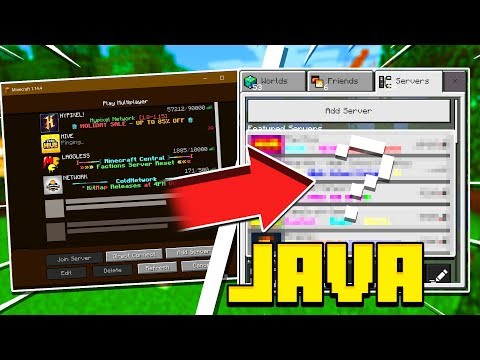](https://www.youtube.com/watch?v=IHg_ts3MgLY)
|
||||
|
||||
**How to connect Bedrock players to Java servers Part One.** by [Casper](https://www.youtube.com/channel/UCHL0K3bOH0o7YoO5T-2_MzA)
|
||||
|
||||
[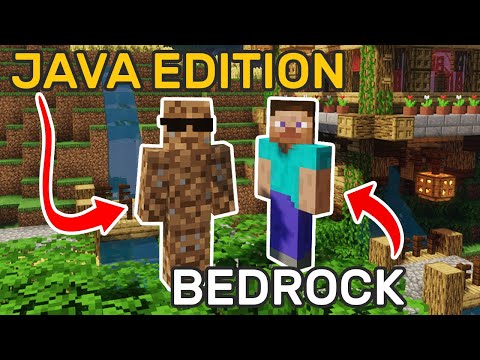](https://www.youtube.com/watch?v=DHZHM1RBtfQ)
|
||||
|
||||
**How To Add Crossplay to Your Minecraft Server (Geyser Setup Guide).** by [The Breakdown](https://www.youtube.com/channel/UC6Ec5NXzcESo60F3UgtgQRA)
|
||||
|
||||
[](https://youtu.be/2HwqbDHWwu8)
|
||||
|
||||
### Russian
|
||||
**ЗАШЕЛ НА ХАЙПИКСЕЛЬ С МКПЕ? ЧИТЕРСКИЙ КОНФИГ!** by [TOWUK](https://www.youtube.com/channel/UCK8v-rGsfCOkpbi0slIpAng)
|
||||
|
||||
[](https://www.youtube.com/watch?v=KcZZp05EfVQ)
|
||||
@@ -0,0 +1,30 @@
|
||||
---
|
||||
layout: page
|
||||
title: Standalone Command Line Arguments
|
||||
permalink: /geyser/standalone-command-line-arguments/
|
||||
---
|
||||
|
||||
# General command-line arguments
|
||||
|
||||
### `--config [file]`
|
||||
|
||||
**Alias: `-c`**
|
||||
|
||||
Points to an alternative config file to use.
|
||||
|
||||
### `--gui` / `--nogui`
|
||||
|
||||
**Alias: `gui` / `nogui`**
|
||||
|
||||
Forces GUI or non-GUI usage, depending on context.
|
||||
|
||||
# Overriding specific config values
|
||||
|
||||
Overriding a standard config option (e.g. `command-suggestions`):
|
||||
|
||||
`--command-suggestions=false`
|
||||
|
||||
Overriding a nested config option(e.g. the `remote` section with `address`):
|
||||
|
||||
`--remote.address=test.geysermc.org`
|
||||
|
||||
@@ -0,0 +1,108 @@
|
||||
---
|
||||
layout: page
|
||||
title: Supported Hosting Providers
|
||||
permalink: /geyser/supported-hosting-providers/
|
||||
---
|
||||
|
||||
This list is incomplete. Please add a link or contact us on Discord if the information is incorrect or you want to add a new hosting provider!
|
||||
|
||||
It should also be noted that these providers may not be verified by the Geyser team, and the server providers below are reported as working by members of the community.
|
||||
|
||||
**Warning: The below information is for the plugin versions of Geyser unless otherwise specified**
|
||||
|
||||
## Built-in Geyser
|
||||
* [Aternos](https://aternos.org/) (Select as a plugin in the Aternos plugin list and connect to your server with your Java IP and port. See [Aternos's article](https://support.aternos.org/hc/en-us/articles/360051047631) for more details.)
|
||||
* [CreeperHost](https://www.creeperhost.net/) (Has a toggle within the control panel to automatically enable Geyser. May not be enabled by default, so you may need to toggle it and restart the server.)
|
||||
* [exaroton](https://exaroton.com/) (Select as a plugin in the exaroton plugin list and connect to your server with your Java IP and port. See [exaroton's article](https://support.exaroton.com/hc/en-us/articles/360019857918-Geyser) for more details.)
|
||||
* [FreeMcServer.net](https://freemcserver.net) (Can be selected from the reinstall tab of the control panel.)
|
||||
* [GGServers](https://ggservers.com) (Can easily be installed to any server in just one click from their auto plugin setups. No configuration needed.)
|
||||
* [MCProHosting](https://mcprohosting.com/) (Geyser-Spigot only: Click "Enable Bedrock Support" on the server dashboard and follow the steps. For other versions: Add Destination Port 19132 with Protocol UDP to the [port forward mapping](https://mcprohosting.com/billing/knowledgebase/379/Firewall-and-Port-Management.html) and connect to the given source port.)
|
||||
* [Minehut](https://minehut.com/) (Connect via `bedrock.minehut.com` and do `/join <servername>`.)
|
||||
* [OMGServ](https://www.omgserv.com/en/) (Select Geyser in [Install Menu](https://i.imgur.com/Gewpsrq.png), all is automatically installed. You can turn on/off floodgate in [server properties on the dashboard](https://i.imgur.com/jg5mzNj.png).)
|
||||
* [PloudOS](https://ploudos.com/) (Connect via `geyser.ploudos.com` and enter the with your Java IP and port. See [PloudOS's article](https://ploudos.com/faq/#How-do-I-connect-from-Bedrock-to-a-Java-server) for more details.)
|
||||
* [Pufferfish Host](https://pufferfish.host/) (Geyser is installed and configured on all servers by default.)
|
||||
* [SoulNode](https://soulnode.net/) (Select [Plugin Pack](https://i.imgur.com/7e2QEKV.png) at checkout to auto-install Geyser. No extra setup required. Will auto bind to your default port to connect.)
|
||||
* [SRKHOST](https://www.srkhost.eu/) (You can enable Geyser at the Version changer page. This feature is built-in and uses the given port by the host.)
|
||||
* [Virtual Gladiators](https://virtualgladiators.com/) (Find the plugin in the control panel under the "VG Recommended" category and restart your server. IP and port are the same as Java.)
|
||||
* [ZapHosting](https://zap-hosting.com/en/) (Find the plugin in the control panel and restart your server. IP and port is the same as Java.)
|
||||
* [365Hosts](https://365hosts.com) (Go to their [Minecraft: Crossplay](https://www.365hosts.com/gaming/crossplayminecraft) hosting section and simply order your server. Instructions on how to join are provided.)
|
||||
|
||||
## Support for Geyser
|
||||
* [Akliz](https://www.akliz.net/) (Get Geyser as a plugin. They should have a port forwarding option that works.)
|
||||
* [Apex Hosting](https://apexminecrafthosting.com/) (Get Geyser as a plugin. Need to set the Bedrock address in the config on the Java IP, default port may not work.)
|
||||
* [Aquatis](https://aquatis.host/) (Get Geyser as a plugin. Need to open a support ticket to get UDP ports and then update the config to reflect your new Bedrock port.)
|
||||
* [Azure](https://azure.microsoft.com/) (Get Geyser as a plugin. Not a dedicated Minecraft service provider.)
|
||||
* [BisectHosting](https://www.bisecthosting.com/) (Get Geyser as a plugin. Need to ask to open a UDP port, and set the Bedrock address in the config to the Java IP. To open a UDP port, you need to have a dedicated IP.)
|
||||
* [Bloom.Host](https://www.bloom.host/) (Get Geyser as a plugin. They have a port forwarding option that works.)
|
||||
* [Clovux](https://clovux.net/) (Get Geyser as a plugin. Use the same port as your Java server for the Bedrock port in your config and connect with that port. Make sure your remote address is 'auto' and your bedrock address is your server IP.)
|
||||
* [Consulhosting](https://consulhosting.nl/) (Get Geyser as a plugin. Use the same port as your Java server for the Bedrock port in your config and connect with that port.)
|
||||
* [Craft-Hosting](https://craft-hosting.ru/) (Get Geyser as a plugin. Use the same port as your Java server for the Bedrock port in your config and connect with that port; note that this provider appears to only provide service in Russia.)
|
||||
* [CubedHost](https://cubedhost.com/) (Get Geyser a plugin. Use the same address as your Java server for the Bedrock address in your config. See [here](https://cubedhost.com/help/en/articles/4632618-how-can-bedrock-players-join-my-java-edition-server) for specific instructions.)
|
||||
* [Dashflo.net](https://dashflo.net/) (Get Geyser as a plugin. Use the same port as your Java server for the Bedrock port in your config and connect with that port, or buy a dedicated IP address to support a different port.)
|
||||
* [DedicatedMC](https://dedicatedmc.io/) (Get Geyser as a plugin. Need to ask to open the default bedrock port.)
|
||||
* [ExtraVM](https://extravm.com/) (Get Geyser as a plugin. Use the same port as your Java server for the Bedrock port in your config and connect with that port. Make sure your remote address and your bedrock address is your server IP.)
|
||||
* [FadeHost](https://fadehost.com/) (Get Geyser as a plugin. Use the same port as your Java server for the Bedrock port in your config and connect with that port or buy a dedicated IP address to support a different port.)
|
||||
* [FakaHeda](https://fakaheda.eu/) (Get Geyser as a plugin. Use the same port as your Java server or use one of the available ports allocated for your server, for the Bedrock port in your config and connect with that port.)
|
||||
* [FalixNodes](https://falixnodes.net/) (Get Geyser as a plugin. Use the same port as your Java server for the Bedrock port in your config and connect with that port.)
|
||||
* [Ferox Hosting](https://feroxhosting.nl) (Get Geyser as a plugin. Open a port yourself in our panel and check out the [knowledgebase](https://kb.FeroxHosting.nl) for how to install and configure the plugin.)
|
||||
* [Fluctis Hosting](https://fluctishosting.com) (Get the Geyser plugin. Use the same port as your Java Server for the Bedrock port in your config and connect with that port.)
|
||||
* [FreeMC.Host](https://freemc.host/) (Get Geyser as a plugin. Use the same port as your Java server for the Bedrock port in your config and connect with that port.)
|
||||
* [FreeMcServer.net](https://freemcserver.net) Get Geyser as a plugin. (Create a UDP port in the ports tab then type it in your config and connect with that port.)
|
||||
* [Futurehosting](https://futurehosting.org/) (Get Geyser as a plugin. Use the same port as your Java server for the Bedrock port in your config and connect with that port. Make sure your `bedrock` `address` in your Geyser config is your server IP.)
|
||||
* [GameHosting.it](https://www.gamehosting.it/) (Get Geyser as a plugin. Use the same port as your Java server for the Bedrock port in your config and connect with that port.)
|
||||
* [Google Cloud](https://cloud.google.com/) (Not a dedicated Minecraft provider)
|
||||
- 90 day/$300 free trial
|
||||
- [Tutorial for a Minecraft server Google Cloud](https://cloud.google.com/solutions/gaming/minecraft-server)
|
||||
- Note: You'll need to also allow port 19132 on UDP, use Paper instead of vanilla, and put Geyser in the plugins folder
|
||||
- You also don't need an SSD, they're just trying to make you pay more
|
||||
* [Heavynode](https://www.heavynode.com/) (Get Geyser as a plugin. Use default port and 0.0.0.0 as the address. 19132 is blocked for DDOS reasons so your best bet is to use the same port as your Java server for the Bedrock port in your config and connect with that port. Also, see [here](https://github.com/GeyserMC/Geyser/wiki/Fixing-%22Unable-to-Connect-to-World%22#bedrock-players-can-connect-after-hitting-the-server-on-a-tcp-port-eg-on-java-or-a-website-on-the-same-server))
|
||||
* [Hetzner](https://hetzner.com) (Not a dedicated Minecraft provider.)
|
||||
* [Hicoria](https://hicoria.com/en/) (Get Geyser as a plugin. Use the one of the available ports allocated for your server, for the Bedrock port in your config and connect with that port.)
|
||||
* [HostMC4Free](https://hostmc4free.com) (Order new service, choose Geyser in Bedrock section, and open a ticket to request a second port all ports support UDP)
|
||||
* [HostValues](https://hostvalues.net/) (Get Geyser as a plugin. Use the same port as your Java server for the Bedrock port in your config and connect with that port.)
|
||||
* [HumbleServers](https://humbleservers.com/) (Get Geyser as a plugin. Use the same port as your Java server for the Bedrock port in your config, or one of the two extra ports, and connect with that port. If the subdomain doesn't work, use your regular IP address with numbers.)
|
||||
* [Hexit](https://client.hexit.cc/) (Get Geyser as a plugin. Use the same port as your Java server for the Bedrock port in your config and connect with that port.)
|
||||
* [KolakZ Network](https://kolakz.com/) (Get Geyser as a plugin. Need to ask to open the default bedrock port.)
|
||||
* [MC-HOST24.de](https://mc-host24.de/) (Get Geyser as a plugin. Use the same address as your Java server for the Bedrock address in your config.)
|
||||
* [Meloncube](https://www.meloncube.net/) (Get Geyser as a plugin. Need to ask to open a UDP port.)
|
||||
* [MineStrator](https://minestrator.com/) (Get Geyser as a plugin. Use the same port as your Java server for the Bedrock port in your config and connect with that port.)
|
||||
* [Minecraft-Hosting.pro](https://www.minecraft-hosting.pro/) (Get Geyser as a plugin. Use the same port as your Java server for the Bedrock port in your config and connect with that port.)
|
||||
* [Minehub](https://minehub.de/) (Get Geyser as a plugin. Use the same port as your Java server for the Bedrock port in your config and connect with that port, or buy a dedicated IP address to support a different port.)
|
||||
* [NFOservers](https://nfoservers.com/) (Get Geyser as a plugin. Make sure your remote address and your bedrock address are your server IP in the Geyser config file. As an alternative, you can run Geyser standalone separately on an Unmanaged VDS.)
|
||||
* [NiCraft](https://www.ni-host.com/)
|
||||
- Use the same port as your Java server for the Bedrock port in your config and connect with that port.
|
||||
- See [here](https://github.com/GeyserMC/Geyser/wiki/Fixing-%22Unable-to-Connect-to-World%22#bedrock-players-can-connect-after-hitting-the-server-on-a-tcp-port-eg-on-java-or-a-website-on-the-same-server).
|
||||
- So if your players encounter this issue, please ask them to try to connect (even if they don't have Minecraft) from Java Edition first while their Bedrock client is opened, and after they should be able to join on Bedrock Edition.
|
||||
* [Nitrado](https://nitrado.net) (Get Geyser as a plugin. Add 4 to the Port of the Java server. See [here](https://wiki.nitrado.net/en/How_to_install_GeyserMC_and_Floodgate) for specific instructions.)
|
||||
* [NightNodes](https://nightnodes.host/) (Get Geyser as a plugin. Use the same port as your Java server for the Bedrock port in your config and connect with that port.)
|
||||
* [Nodecraft](https://nodecraft.com) (Get Geyser as a plugin. Use the default server port and 0.0.0.0 or your server IP as the host address.)
|
||||
* [OVH](https://www.ovh.com/) (See [here](https://github.com/GeyserMC/Geyser/wiki/Fixing-'Unable-to-Connect-to-World'#issues-connecting-with-ovh-or-a-subsidiary).)
|
||||
* [Pebblehost](https://pebblehost.com/) (Get Geyser as a plugin. Use the same port as your Java server for the Bedrock port in your config and connect with that port. See [this video](https://youtu.be/v9lC80UBZF4) for a PebbleHost-specific tutorial.)
|
||||
* [PhoenixNodes](https://phoenixnodes.com) (Get Geyser as a plugin. Open a ticket to request an additional port for Geyser.)
|
||||
* [PlanetNode](https://planetnode.net) (Get Geyser as a plugin. Use the same port as your Java server for the Bedrock port in your config and connect with that port.)
|
||||
* [RamShard](https://ramshard.com/) (Get Geyser as a plugin. Use the same port as your Java server for the Bedrock port in your config and connect with that port.)
|
||||
* [Revivenode](https://revivenode.com/) (Get Geyser as a plugin. Use the same port as your Java server for the Bedrock port in your config and connect with that port.)
|
||||
* [ScalaCube](https://scalacube.com/) (Get Geyser as a plugin. Use the same address and port as your Java server for the Bedrock address and port in your config and connect with that port.)
|
||||
* [Server.pro](https://server.pro) (Get Geyser as a plugin. If you are using a Premium or Free plan, use the same port as your Java server for the Bedrock port in the configuration file and connect with that same port; for the Free plan, also enable the `clone-remote-port` option; leave the IP values as default (`0.0.0.0` and `auto`). If you are using a Pro or VPS plan, you can use any port you'd like and it's recommended to leave it to the default or `19132`.)
|
||||
* [Shockbyte](https://shockbyte.com/) (Use the same port as your Java server for the Bedrock address and port in your config and connect with that port. You can also see standalone installation instructions [here](https://shockbyte.com/billing/knowledgebase/173/Introduction-to-GeyserMCorDragonProxy-How-GeyserMC-Works.html).)
|
||||
* [Skynode.pro](https://skynode.pro/) (Get Geyser as a plugin. Go to "Server Details", add a new port, and change the port in your config. Connect with that, using the address from your main port.)
|
||||
* [SoYouStart](https://www.soyoustart.com) (See [here](https://github.com/GeyserMC/Geyser/wiki/Fixing-'Unable-to-Connect-to-World'#bedrock-players-can-connect-after-hitting-the-server-on-a-tcp-port-eg-on-java-or-a-website-on-the-same-server).)
|
||||
* [Sparked Host](https://sparkedhost.com) (Get Geyser as a plugin. Use the same port as your Java server for the Bedrock port in your config and connect with that port.)
|
||||
* [SpawnMC](https://spawnmc.net/) (Get Geyser as a plugin. Use the same port as your Java server for the Bedrock port in your config and connect with that port; note that this provider only provides service in China.)
|
||||
* [STIPE](https://stipe.com.au/) (Get Geyser as a plugin. Use the same port as your Java server for the Bedrock port in your config and connect with that port; note that this provider only provides service in Australia.)
|
||||
* [SyntexHosting](https://syntexhosting.com/) (Get Geyser as a plugin. Use the same port as your Java server for the Bedrock port in the config and connect with that port, or request a (free) additional port for your bedrock clients.)
|
||||
* [The Minecraft Hosting](https://theminecrafthosting.com/) (Get Geyser as a plugin. 19132 should work as a Bedrock port, if not use the same port as your Java server for the Bedrock port in your config and connect with that port.)
|
||||
* [Titan Nodes](https://titannodes.com/) (Get Geyser as a plugin. Use the Default server port and 0.0.0.0 as the host address.)
|
||||
* [TNAHosting](https://tnahosting.net/) (Get Geyser as a plugin. Use the same port as your Java server for the Bedrock port in your config and connect with that port.)
|
||||
* [TurboHost](https://turbohost.nl/) (Get Geyser as a plugin. Use the same port as your Java server for the Bedrock port in your config and connect with that port.)
|
||||
* [Vultam](https://vultam.net/) (Get Geyser as a plugin. Use the same port as your Java server and 0.0.0.0 as the address for Bedrock, or request an additional port. The additional port can be 19132 if you buy a dedicated IP.)
|
||||
* [WinterNode](https://winternode.com) (Get Geyser as a plugin. Use the same port as your Java server for the Bedrock port in your config and connect with that port, request an additional port, or buy a dedicated IP address.)
|
||||
* [WitherHosting](https://witherhosting.com/) (Get Geyser as a plugin. Put the port provided by the host in your config.yml for the Java and bedrock sections, or create a port in the ports manager on the panel and use that for bedrock with the main one for Java, and you will be able to connect! Refer to the hosts [support article](https://support.witherhosting.com/en/article/how-to-install-and-use-geysermc-1xn5l6v/) for more)
|
||||
|
||||
## Does not support Geyser
|
||||
* [MCPEhost](https://mcpehost.ru/)
|
||||
* [MyArena](https://www.myarena.ru/) (Does seem to be working, but the Java version is too old in order for Geyser to run properly.)
|
||||
|
||||
---
|
||||
|
||||
**Warning: Using a *”Free Host”* may not give you the best experience *at all*. If you want better support, more freedom to control your server, and learn how to run one, PLEASE pay for a server.**
|
||||
@@ -0,0 +1,323 @@
|
||||
---
|
||||
layout: page
|
||||
title: Understanding the Config
|
||||
permalink: /geyser/understanding-the-config/
|
||||
---
|
||||
|
||||
This page covers basic information about the Geyser config and what each option does. Though they are explained in the configuration itself, this explains what each option does in more detail.
|
||||
|
||||
## Bedrock Section
|
||||
The options for Geyser on the bedrock-facing end. Mostly contains options for how bedrock edition will see the server.
|
||||
|
||||
**`address`**: The address of Geyser on the bedrock end. In most all scenarios, this should not need to be changed.
|
||||
|
||||
**`port`**: The port Geyser will run on. By default, it is 19132 in bedrock.
|
||||
|
||||
**`clone-remote-port`**: Some hosting services change your Java port everytime you start the server and require the same port to be used for Bedrock/UDP connections. This option makes the Bedrock port the same as the Java port every time you start the server. This option does not do anything on the Standalone version of Geyser.
|
||||
|
||||
**`motd1`**: The first line of the MOTD for Geyser.
|
||||
|
||||
**`motd2`**: The second line of the MOTD for Geyser. **Please keep in mind, this option will only work if Geyser is shown in the Friends tab!**
|
||||
|
||||
**`server-name`**: The world name that is shown in the top-right area of the pause screen.
|
||||
|
||||
**`compression-level`**: An number value that represents how much to compress outgoing traffic. Can be any number from -1 to 9; any other value will be replaced with the nearest acceptable value. The higher the number, the more CPU processing that is used but with less bandwidth used.
|
||||
|
||||
## Remote Section
|
||||
Options for the remote (java) server.
|
||||
|
||||
**`address`**: The address of the Minecraft: Java Edition server you want to join. By default, this value is `auto`. By keeping it as `auto`, the address, port, and Floodgate support will be automatically configured. In standalone, keeping this as `auto` sets the remote address to 127.0.0.1.
|
||||
|
||||
**`port`**: The port of the Minecraft: Java Edition server you specified in the `address` section.
|
||||
|
||||
**`auth-type`**: The authentication type of the Minecraft: Java Edition server. Valid options are `online`, `offline`, and `floodgate`.
|
||||
|
||||
**Please keep in mind, what you specify in the Geyser `auth-type` option MUST be the same as what the remote server has (with the exception of Geyser being in online mode and remote being in offline mode). You simply cannot join an online mode server without a genuine account. If you want to allow Minecraft: Bedrock Edition accounts to join without a Minecraft: Java Edition account, see the [Floodgate](https://github.com/GeyserMC/Floodgate/wiki/) wiki page.**
|
||||
|
||||
**`use-proxy-protocol`**: Whether to enable PROXY/HAProxy protocol or not while connecting to the server. This is useful only when:
|
||||
- Your server supports PROXY protocol (it probably doesn't)
|
||||
- You run Velocity or BungeeCord with its respective option enabled.
|
||||
|
||||
**`forward-hostname`**: Forwards the hostname/IP address that the Bedrock client used to connect over to the Java server. This is designed to be used for forced hosts on proxies.
|
||||
|
||||
## General Options
|
||||
General Geyser options that are mostly specific to Geyser itself.
|
||||
|
||||
**`floodgate-key-file`**: The key file path for Floodgate. Requires that you have [Floodgate](https://github.com/GeyserMC/Floodgate/wiki/) installed and the `auth-type` set to `floodgate`.
|
||||
|
||||
**`userAuths`**: A section where you can put the authentication information for your Minecraft: Java Edition account for immediate login when joining Geyser. **It is advised you ONLY use this option if you are running Geyser locally and that ONLY you have access to the config as it requires you put your Minecraft: Java Edition credentials in plain text!**
|
||||
|
||||
If your Xbox account name was Notch, your Java email was `foobar2000@gmail.com` and your password was `hunter2`, you would fill this into the config:
|
||||
|
||||
```
|
||||
userAuths:
|
||||
Notch: # MCPE/Xbox username
|
||||
email: foobar2000@gmail.com
|
||||
password: "hunter2"
|
||||
microsoft-account: true
|
||||
```
|
||||
|
||||
Put two spaces before the username and four spaces before the email and password.
|
||||
|
||||
**`command-suggestions`**: Bedrock clients freeze or crash when opening up the command prompt for the first time with a large amount of command suggestions. This config option disables command suggestions being sent to prevent any freezing. **Since 1.16.100:** command freezing and crashing has been largely reduced; you may no longer need this option disabled.
|
||||
|
||||
**`passthrough-motd`**: If the MOTD should be relayed from the remote server. Causes the `motd1` and `motd2` options in the bedrock section to no longer have a use.
|
||||
|
||||
**`passthrough-protocol-name`**: Relay the protocol name (e.g. BungeeCord [X.X], Paper 1.X) - this is only really useful when using a custom protocol name! This will also show up on sites like MCSrvStatus. <mcsrvstat.us>
|
||||
|
||||
**`passthrough-players`**: If the current and max player counts should be relayed from the remote server.
|
||||
|
||||
**`legacy-ping-passthrough`**: If enabled, manually pings the server by impersonating a Minecraft client instead of using the server's API. **This option should *only* be enabled if your MOTD or player count is not accurate,** as it can cause errors especially on BungeeCord. This option does nothing on standalone.
|
||||
|
||||
**`ping-passthrough-interval`**: How often the fake Minecraft client should attempt to ping the remote server to update information, in seconds (a setting of 1 will ping the server every second; a setting of 3 will ping the server every three seconds). Only relevant for standalone and legacy ping passthrough. Increase the number if you're getting timeout or BrokenPipe exceptions.
|
||||
|
||||
**`max-players`**: The maximum amount of players shown when pinging the server. This does not actually cap how many players can join the Geyser instance at this time. The number will visually increase when pinging if the amount of players is greater, as Bedrock clients will not even attempt to join a full server.
|
||||
|
||||
**`debug-mode`**: If debug messages should be printed in console. Useful if you run into an error and need more context.
|
||||
|
||||
**`general-thread-pool`**: The amount of threads Geyser will be able to use. Higher is not always better :P.
|
||||
|
||||
**`allow-third-party-capes`**: If third party (Optifine, 5zig, LabyMod, etc.) capes should be displayed to the bedrock player.
|
||||
|
||||
**`allow-third-party-ears`**: If third party Deadmau5-style ears should be enabled. Currently only supports MinecraftCapes.
|
||||
|
||||
**`show-cooldown`**: Bedrock Edition currently does not have Java Edition 1.9+ combat mechanics. In order to get around this, Geyser sends a fake cooldown by sending a title message. This cooldown should not show if 1.8 combat mechanics are in use. The options available for this setting are `false` (no cooldown is sent), `title`/`true` (a cooldown indication is shown in the title), or `actionbar` (a cooldown indication is shown in the action bar). All other options default to `false`.
|
||||
|
||||
**`show-coordinates`**: Bedrock Edition has an option to show coordinates in the top-left part of your screen. This setting enables or disables this.
|
||||
|
||||
**`emote-offhand-workaround`**: Since Java Edition 1.9, clients have had the ability to switch the item in their mainhand and offhand with a keybind. Bedrock Edition does not have this ability, so this config option makes up for it, If set, when a Bedrock player performs any emote, it will swap the offhand and mainhand items, just like the Java Edition keybind. There are three options this can be set to:
|
||||
- `disabled` - the default/fallback, which doesn't apply this workaround
|
||||
- `no-emotes` - emotes will NOT be sent to other Bedrock clients and offhand will be swapped. This effectively disables all emotes from being seen.
|
||||
- `emotes-and-offhand` - emotes will be sent to Bedrock clients and offhand will be swapped
|
||||
|
||||
**`default-locale`**: The default locale to send to players if their locale could not be found. Check [this](https://github.com/GeyserMC/Geyser/wiki/FAQ#what-languages-does-geyser-support) page to find the code corresponding to your language.
|
||||
|
||||
**`chunk-caching`**: Cache chunks for each Bedrock player, adds support for additional sounds and fixing movement issues at the expense of slightly more RAM usage. This option is always on for Spigot as we can use the server's API to get block information at no expense. *Geyser does not recommend disabling this option.*
|
||||
|
||||
**`cache-images`**: Specify how many days images will be cached to disk to save downloading them from the internet. A value of 0 is disabled. (Default: 0)
|
||||
|
||||
**`allow-custom-skulls`**: Allows custom skulls to be displayed when placed. Keeping them enabled may cause a performance decrease on older/weaker devices.
|
||||
|
||||
**`above-nether-bedrock-building`**: Bedrock prevents building and displaying blocks above Y127 in the Nether - enabling this config option works around that by changing the Nether dimension ID to the End ID. The main downside to this is that the sky will resemble that of the End sky in the Nether, but ultimately it's the only way for this feature to work.
|
||||
|
||||
**`force-resource-packs`**: Force clients to load all resource packs if there are any. If set to false, it allows the user to disconnect from the server if they don't want to download the resource packs.
|
||||
|
||||
**`xbox-achievements-enabled`**: Allows Xbox achievements to be unlocked. **This disables certain commands so the Bedrock client can't "cheat" to get them; this cannot be worked around if you want to enable this**. Commands such as /gamemode and /give will not work from Bedrock with this enabled.
|
||||
|
||||
## Advanced Options
|
||||
|
||||
**`scoreboard-packet-threshold`**: Geyser updates the Scoreboard after every Scoreboard packet, but when Geyser tries to handle a lot of scoreboard packets per second can cause serious lag. This option allows you to specify after how many Scoreboard packets per seconds the Scoreboard updates will be then limited to four updates per second.
|
||||
|
||||
**`enable-proxy-connections`**: Allow connections from ProxyPass and Waterdog. See https://www.spigotmc.org/wiki/firewall-guide/ for assistance - use UDP instead of TCP. **This option does not need to be enabled in instances like BungeeCord or Velocity**.
|
||||
|
||||
**`mtu`**: https://en.wikipedia.org/wiki/Maximum_transmission_unit - The internet supports a maximum MTU of 1492 but could cause issues with packet fragmentation. 1400 is the default.
|
||||
|
||||
**`use-direct-connection`**: Whether to connect directly into the Java server without creating a TCP connection. This should only be disabled if a plugin that interfaces with packets or the network does not work correctly with Geyser. If enabled on plugin versions, the remote address and port sections are ignored. If disabled on plugin versions, expect performance decrease and latency increase.
|
||||
|
||||
Default Geyser Config:
|
||||
```yml
|
||||
# --------------------------------
|
||||
# Geyser Configuration File
|
||||
#
|
||||
# A bridge between Minecraft: Bedrock Edition and Minecraft: Java Edition.
|
||||
#
|
||||
# GitHub: https://github.com/GeyserMC/Geyser
|
||||
# Discord: https://discord.geysermc.org/
|
||||
# --------------------------------
|
||||
|
||||
bedrock:
|
||||
# The IP address that will listen for connections.
|
||||
# There is no reason to change this unless you want to limit what IPs can connect to your server.
|
||||
address: 0.0.0.0
|
||||
# The port that will listen for connections
|
||||
port: 19132
|
||||
# Some hosting services change your Java port everytime you start the server and require the same port to be used for Bedrock.
|
||||
# This option makes the Bedrock port the same as the Java port every time you start the server.
|
||||
# This option is for the plugin version only.
|
||||
clone-remote-port: false
|
||||
# The MOTD that will be broadcasted to Minecraft: Bedrock Edition clients. This is irrelevant if "passthrough-motd" is set to true
|
||||
# If either of these are empty, the respective string will default to "Geyser"
|
||||
motd1: "Geyser"
|
||||
motd2: "Another Geyser server."
|
||||
# The Server Name that will be sent to Minecraft: Bedrock Edition clients. This is visible in both the pause menu and the settings menu.
|
||||
server-name: "Geyser"
|
||||
# How much to compress network traffic to the Bedrock client. The higher the number, the more CPU usage used, but
|
||||
# the smaller the bandwidth used. Does not have any effect below -1 or above 9. Set to -1 to disable.
|
||||
compression-level: 6
|
||||
# Whether to enable PROXY protocol or not for clients. You DO NOT WANT this feature unless you run UDP reverse proxy
|
||||
# in front of your Geyser instance.
|
||||
enable-proxy-protocol: false
|
||||
# A list of allowed PROXY protocol speaking proxy IP addresses/subnets. Only effective when "enable-proxy-protocol" is enabled, and
|
||||
# should really only be used when you are not able to use a proper firewall (usually true with shared hosting providers etc.).
|
||||
# Keeping this list empty means there is no IP address whitelist.
|
||||
# Both IP addresses and subnets are supported.
|
||||
#proxy-protocol-whitelisted-ips: [ "127.0.0.1", "172.18.0.0/16" ]
|
||||
remote:
|
||||
# The IP address of the remote (Java Edition) server
|
||||
# If it is "auto", for standalone version the remote address will be set to 127.0.0.1,
|
||||
# for plugin versions, it is recommended to keep this as "auto" so Geyser will automatically configure address, port, and auth-type.
|
||||
address: auto
|
||||
# The port of the remote (Java Edition) server
|
||||
# For plugin versions, if address has been set to "auto", the port will also follow the server's listening port.
|
||||
port: 25565
|
||||
# Authentication type. Can be offline, online, or floodgate (see https://github.com/GeyserMC/Geyser/wiki/Floodgate).
|
||||
# For plugin versions, it's recommended to keep the `address` field to "auto" so Floodgate support is automatically configured.
|
||||
auth-type: online
|
||||
# Allow for password-based authentication methods through Geyser. Only useful in online mode.
|
||||
# If this is false, users must authenticate to Microsoft using a code provided by Geyser on their desktop.
|
||||
allow-password-authentication: true
|
||||
# Whether to enable PROXY protocol or not while connecting to the server.
|
||||
# This is useful only when:
|
||||
# 1) Your server supports PROXY protocol (it probably doesn't)
|
||||
# 2) You run Velocity or BungeeCord with the option enabled in the proxy's main config.
|
||||
# IF YOU DON'T KNOW WHAT THIS IS, DON'T TOUCH IT!
|
||||
use-proxy-protocol: false
|
||||
# Forward the hostname that the Bedrock client used to connect over to the Java server
|
||||
# This is designed to be used for forced hosts on proxies
|
||||
forward-hostname: false
|
||||
|
||||
# Allows the overworld world height to be extended from 0 - 255 to -64 - 319. This option cannot be changed during a reload.
|
||||
# 1.17.0-1.17.2 Bedrock clients cannot connect with this option enabled.
|
||||
# Performance issues and/or additional bugs may occur for Bedrock clients as this is an experimental toggle on their end.
|
||||
extended-world-height: false
|
||||
|
||||
# Floodgate uses encryption to ensure use from authorised sources.
|
||||
# This should point to the public key generated by Floodgate (BungeeCord, Spigot or Velocity)
|
||||
# You can ignore this when not using Floodgate.
|
||||
# If you're using a plugin version of Floodgate on the same server, the key will automatically be picked up from Floodgate.
|
||||
floodgate-key-file: key.pem
|
||||
|
||||
# The Xbox/Minecraft Bedrock username is the key for the Java server auth-info.
|
||||
# This allows automatic configuration/login to the remote Java server.
|
||||
# If you are brave enough to put your Mojang account info into a config file.
|
||||
# Uncomment the lines below to enable this feature.
|
||||
#userAuths:
|
||||
# BedrockAccountUsername: # Your Minecraft: Bedrock Edition username
|
||||
# email: javaccountemail@example.com # Your Minecraft: Java Edition email
|
||||
# password: javaccountpassword123 # Your Minecraft: Java Edition password
|
||||
# microsoft-account: true # Whether the account is a Mojang or Microsoft account.
|
||||
#
|
||||
# bluerkelp2:
|
||||
# email: not_really_my_email_address_mr_minecrafter53267@gmail.com
|
||||
# password: "this isn't really my password"
|
||||
# microsoft-account: false
|
||||
|
||||
# Bedrock clients can freeze when opening up the command prompt for the first time if given a lot of commands.
|
||||
# Disabling this will prevent command suggestions from being sent and solve freezing for Bedrock clients.
|
||||
command-suggestions: true
|
||||
|
||||
# The following three options enable "ping passthrough" - the MOTD, player count and/or protocol name gets retrieved from the Java server.
|
||||
# Relay the MOTD from the remote server to Bedrock players.
|
||||
passthrough-motd: false
|
||||
# Relay the protocol name (e.g. BungeeCord [X.X], Paper 1.X) - only really useful when using a custom protocol name!
|
||||
# This will also show up on sites like MCSrvStatus. <mcsrvstat.us>
|
||||
passthrough-protocol-name: false
|
||||
# Relay the player count and max players from the remote server to Bedrock players.
|
||||
passthrough-player-counts: false
|
||||
# Enable LEGACY ping passthrough. There is no need to enable this unless your MOTD or player count does not appear properly.
|
||||
# This option does nothing on standalone.
|
||||
legacy-ping-passthrough: false
|
||||
# How often to ping the remote server, in seconds. Only relevant for standalone or legacy ping passthrough.
|
||||
# Increase if you are getting BrokenPipe errors.
|
||||
ping-passthrough-interval: 3
|
||||
|
||||
# Whether to forward player ping to the server. While enabling this will allow Bedrock players to have more accurate
|
||||
# ping, it may also cause players to time out more easily.
|
||||
forward-player-ping: false
|
||||
|
||||
# Maximum amount of players that can connect. This is only visual at this time and does not actually limit player count.
|
||||
max-players: 100
|
||||
|
||||
# If debug messages should be sent through console
|
||||
debug-mode: false
|
||||
|
||||
# Thread pool size
|
||||
general-thread-pool: 32
|
||||
|
||||
# Allow third party capes to be visible. Currently allowing:
|
||||
# OptiFine capes, LabyMod capes, 5Zig capes and MinecraftCapes
|
||||
allow-third-party-capes: true
|
||||
|
||||
# Allow third party deadmau5 ears to be visible. Currently allowing:
|
||||
# MinecraftCapes
|
||||
allow-third-party-ears: false
|
||||
|
||||
# Allow a fake cooldown indicator to be sent. Bedrock players do not see a cooldown as they still use 1.8 combat
|
||||
# Can be title, actionbar or false
|
||||
show-cooldown: title
|
||||
|
||||
# Controls if coordinates are shown to players.
|
||||
show-coordinates: true
|
||||
|
||||
# If set, when a Bedrock player performs any emote, it will swap the offhand and mainhand items, just like the Java Edition keybind
|
||||
# There are three options this can be set to:
|
||||
# disabled - the default/fallback, which doesn't apply this workaround
|
||||
# no-emotes - emotes will NOT be sent to other Bedrock clients and offhand will be swapped. This effectively disables all emotes from being seen.
|
||||
# emotes-and-offhand - emotes will be sent to Bedrock clients and offhand will be swapped
|
||||
emote-offhand-workaround: "disabled"
|
||||
|
||||
# The default locale if we dont have the one the client requested. Uncomment to not use the default system language.
|
||||
# default-locale: en_us
|
||||
|
||||
# Specify how many days images will be cached to disk to save downloading them from the internet.
|
||||
# A value of 0 is disabled. (Default: 0)
|
||||
cache-images: 0
|
||||
|
||||
# Allows custom skulls to be displayed. Keeping them enabled may cause a performance decrease on older/weaker devices.
|
||||
allow-custom-skulls: true
|
||||
|
||||
# Whether to add (at this time, only) the furnace minecart as a separate item in the game, which normally does not exist in Bedrock Edition.
|
||||
# This should only need to be disabled if using a proxy that does not use the "transfer packet" style of server switching.
|
||||
# If this is disabled, furnace minecart items will be mapped to hopper minecart items.
|
||||
# This option requires a restart of Geyser in order to change its setting.
|
||||
add-non-bedrock-items: true
|
||||
|
||||
# Bedrock prevents building and displaying blocks above Y127 in the Nether -
|
||||
# enabling this config option works around that by changing the Nether dimension ID
|
||||
# to the End ID. The main downside to this is that the sky will resemble that of
|
||||
# the end sky in the nether, but ultimately it's the only way for this feature to work.
|
||||
above-bedrock-nether-building: false
|
||||
|
||||
# Force clients to load all resource packs if there are any.
|
||||
# If set to false, it allows the user to connect to the server even if they don't
|
||||
# want to download the resource packs.
|
||||
force-resource-packs: true
|
||||
|
||||
# Allows Xbox achievements to be unlocked.
|
||||
# THIS DISABLES ALL COMMANDS FROM SUCCESSFULLY RUNNING FOR BEDROCK IN-GAME, as otherwise Bedrock thinks you are cheating.
|
||||
xbox-achievements-enabled: false
|
||||
|
||||
# bStats is a stat tracker that is entirely anonymous and tracks only basic information
|
||||
# about Geyser, such as how many people are online, how many servers are using Geyser,
|
||||
# what OS is being used, etc. You can learn more about bStats here: https://bstats.org/.
|
||||
# https://bstats.org/plugin/server-implementation/GeyserMC
|
||||
metrics:
|
||||
# If metrics should be enabled
|
||||
enabled: true
|
||||
# UUID of server, don't change!
|
||||
uuid: generateduuid
|
||||
|
||||
# ADVANCED OPTIONS - DO NOT TOUCH UNLESS YOU KNOW WHAT YOU ARE DOING!
|
||||
|
||||
# Geyser updates the Scoreboard after every Scoreboard packet, but when Geyser tries to handle
|
||||
# a lot of scoreboard packets per second can cause serious lag.
|
||||
# This option allows you to specify after how many Scoreboard packets per seconds
|
||||
# the Scoreboard updates will be limited to four updates per second.
|
||||
scoreboard-packet-threshold: 20
|
||||
|
||||
# Allow connections from ProxyPass and Waterdog.
|
||||
# See https://www.spigotmc.org/wiki/firewall-guide/ for assistance - use UDP instead of TCP.
|
||||
enable-proxy-connections: false
|
||||
|
||||
# The internet supports a maximum MTU of 1492 but could cause issues with packet fragmentation.
|
||||
# 1400 is the default.
|
||||
# mtu: 1400
|
||||
|
||||
# Whether to connect directly into the Java server without creating a TCP connection.
|
||||
# This should only be disabled if a plugin that interfaces with packets or the network does not work correctly with Geyser.
|
||||
# If enabled on plugin versions, the remote address and port sections are ignored
|
||||
# If disabled on plugin versions, expect performance decrease and latency increase
|
||||
use-direct-connection: true
|
||||
|
||||
config-version: 4
|
||||
```
|
||||
@@ -0,0 +1,66 @@
|
||||
---
|
||||
layout: page
|
||||
title: Using geyser or floodgate as a dependency
|
||||
permalink: /geyser/using-geyser-or-floodgate-as-a-dependency/
|
||||
---
|
||||
|
||||
To start, add the Open Collaboration repository to your project:
|
||||
|
||||
```xml
|
||||
<repository>
|
||||
<id>opencollab-snapshot-repo</id>
|
||||
<url>https://repo.opencollab.dev/maven-snapshots/</url>
|
||||
<releases>
|
||||
<enabled>false</enabled>
|
||||
</releases>
|
||||
<snapshots>
|
||||
<enabled>true</enabled>
|
||||
</snapshots>
|
||||
</repository>
|
||||
```
|
||||
|
||||
## Using Geyser
|
||||
|
||||
*Please note: this information will be updated with a new API at a later point, but the old API structure will continue to work.*
|
||||
|
||||
Add Geyser's common codebase as a dependency:
|
||||
|
||||
```xml
|
||||
<dependency>
|
||||
<groupId>org.geysermc</groupId>
|
||||
<artifactId>core</artifactId>
|
||||
<version>2.0.0-SNAPSHOT</version>
|
||||
<scope>provided</scope>
|
||||
</dependency>
|
||||
```
|
||||
|
||||
To get a Geyser player, or check if a player is from Bedrock:
|
||||
|
||||
```java
|
||||
GeyserSession session = GeyserConnector.getInstance().getPlayerByUuid(uuid);
|
||||
```
|
||||
|
||||
`session` can be null if such a player does not exist on Geyser.
|
||||
|
||||
`GeyserConnector.getInstance()` will be null until after the Geyser plugin enables.
|
||||
|
||||
|
||||
## Using Floodgate
|
||||
|
||||
This page has a very simple primer for the Floodgate API. For a full breakdown, see [here](https://github.com/GeyserMC/Floodgate/wiki/FloodgateApi).
|
||||
|
||||
Add Floodgate's API as a dependency:
|
||||
```xml
|
||||
<dependency>
|
||||
<groupId>org.geysermc.floodgate</groupId>
|
||||
<artifactId>api</artifactId>
|
||||
<version>2.0-SNAPSHOT</version>
|
||||
<scope>provided</scope>
|
||||
</dependency>
|
||||
```
|
||||
|
||||
Get the Floodgate API using:
|
||||
```java
|
||||
FloodgateApi api = FloodgateApi.getInstance();
|
||||
api.isFloodgatePlayer(uuid);
|
||||
```
|
||||
@@ -0,0 +1,52 @@
|
||||
---
|
||||
layout: page
|
||||
title: Using Geyser with Consoles
|
||||
permalink: /geyser/using-geyser-with-consoles/
|
||||
---
|
||||
|
||||
All consoles can join third-party servers - including Geyser servers - with workarounds. Xbox One, Nintendo Switch, and PS4 systems can join third-party servers using a third-party program called BedrockConnect. For technical information about the program, including how to run your own setup, see [their GitHub repository](https://github.com/Pugmatt/BedrockConnect) (*This program is not affiliated with GeyserMC*). Other methods are also available for use.
|
||||
|
||||
**NOTE: The main IP used for BedrockConnect is often blocked on consoles, if you run into issues with internet connection or joining servers after changing your DNS, consider using either one of the other BedrockConnect servers on the [BedrockConnect Github Page](https://github.com/Pugmatt/BedrockConnect), or the [Public GeyserConnect](https://www.geyserconnect.net) which allows connecting to both Java and Bedrock servers.**
|
||||
|
||||
# Xbox One
|
||||
|
||||
(Video linked below)
|
||||
|
||||
[](https://www.youtube.com/watch?v=g8mHvasVHMs)
|
||||
|
||||
# Nintendo Switch
|
||||
|
||||
(Video linked below)
|
||||
|
||||
[](https://www.youtube.com/watch?v=zalT_oR1nPM)
|
||||
|
||||
# PlayStation 4
|
||||
1. Go to your PS4 Home screen.
|
||||
2. Go to Settings.
|
||||
3. Go to Network.
|
||||
4. Select Set Up Internet connection.
|
||||
5. If you are using wired internet, select "Use LAN Cable", otherwise choose "Use Wi-Fi".
|
||||
6. Select the Custom network creation mode.
|
||||
7. Select Automatic IP Address.
|
||||
8. For DHCP Host Name, make sure you select Do Not Specify.
|
||||
9. Under DNS Settings, select Manual.
|
||||
10. Enter the BedrockConnect IP for the preferred Primary DNS (Multiple options depending on region can be found on the [BedrockConnect Github Page](https://github.com/Pugmatt/BedrockConnect)) and something like Google or Cloudfare's IP for the Secondary DNS (8.8.8.8 or 1.1.1.1).
|
||||
|
||||
|
||||
## Alternative Methods
|
||||
If you'd rather try emulating a LAN game on your network on another device, here's how you'd do that.
|
||||
|
||||
*Note that this method will not work with the Nintendo Switch.*
|
||||
|
||||
### Using a PC
|
||||
If you have a PC, you can use [Phantom](https://github.com/jhead/phantom).
|
||||
|
||||
### Using an Android Device
|
||||
If you have an Android device, you have several options:
|
||||
- [Geyser Android app](https://github.com/GeyserMC/GeyserAndroid)
|
||||
- [MC Lan Proxy (Trial)](https://discord.com/channels/613163671870242838/613194762249437245/770699493482037310)
|
||||
- [MC Lan Proxy (Paid)](https://play.google.com/store/apps/details?id=com.luzenna.mineproxydroid)
|
||||
- [MC Server Connector](https://play.google.com/store/apps/details?id=com.smokiem.mcserverconnector)
|
||||
|
||||
### Using an iOS device
|
||||
If you have an iOS 14+ device, you can use [BedrockTogether](https://apps.apple.com/app/bedrocktogether/id1534593376).
|
||||
Reference in new issue
Block a user